Build your menu
Organize dishes into categories and set per-unit pricing — your menu is the source your proposals are built from.
Last updated May 25, 2026
Why the menu comes first
In Catertoo, proposals are sourced from your menu. When you add a line item to a proposal, you pick from the dishes you've already defined — so the price and description are consistent every time. Build the menu once and reuse it across every event.
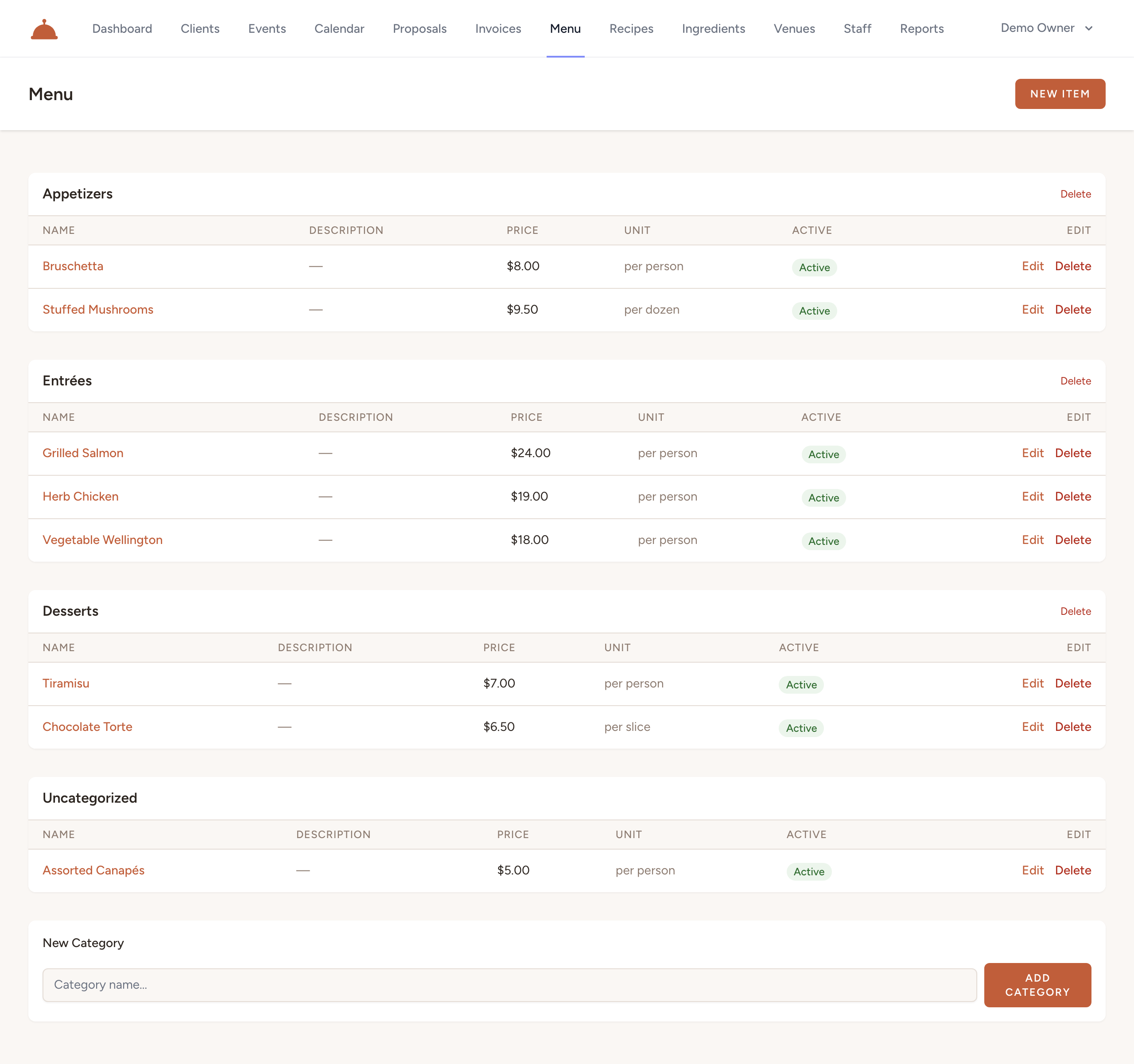
Create menu categories
- Open Menu from your dashboard.
- Add a category (for example, Appetizers, Entrées, Desserts, or Beverages).

- Categories keep your menu organized and easy to scan when you're building a proposal.
You can reorder categories at any time to control how the menu reads.
Add menu items
- Click New item (top right of the Menu screen).

- Choose the category it belongs to, then give it a name and an optional description.
- Set the unit price — what you charge per unit (per plate, per dozen, per tray, and so on).
- Save the item.
Reorder items within a category whenever you want to change the order they appear.
Keeping your menu current
Edit an item's name, description, or price whenever your offerings change. Updating the menu keeps future proposals accurate — existing proposals keep the prices they were built with.
What's next?
- Send your first proposal using the menu items you just created.