Generate an event shopping list
Roll an event's recipes into one consolidated shopping list, with quantities combined by ingredient.
Last updated May 25, 2026
Open the shopping list
The shopping list is generated from an event that has an accepted proposal. Each menu item on the accepted proposal that has a linked recipe contributes its ingredients to the list.
- Open the event from your dashboard.
- Click Shopping list on the event detail page.

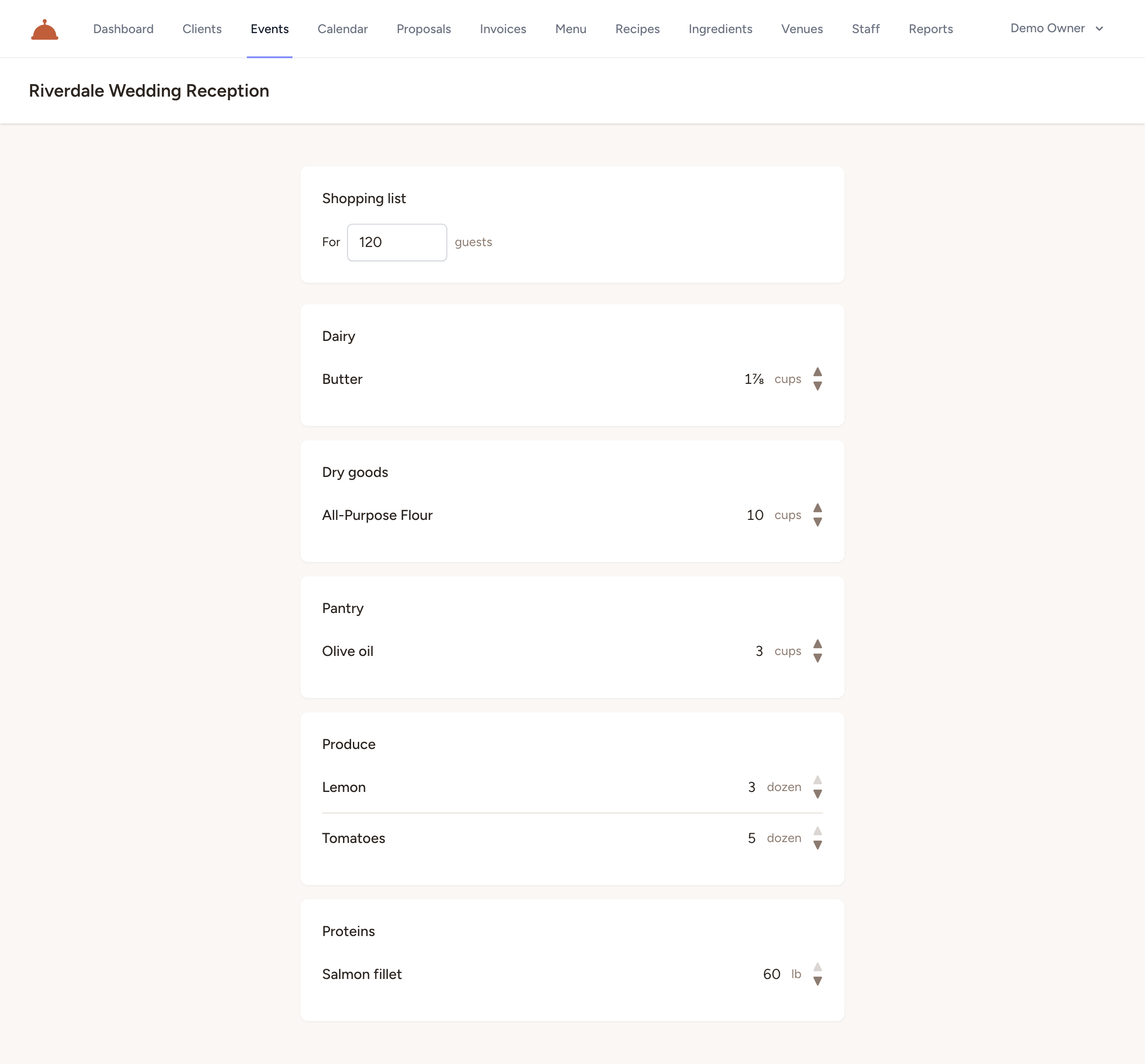
Catertoo calculates quantities based on the event's guest count. You can adjust the serving count directly on the shopping list page and the quantities update without reloading.
How quantities combine
Each recipe is scaled from its base yield to the target serving count. If the same ingredient appears in multiple recipes, its quantities are added together — you see one total per ingredient, not one line per recipe.
Ingredients are grouped by the category you assigned them in your ingredient library (for example, Produce or Dairy). Ingredients with no category appear under a general heading. Within each group, ingredients are listed alphabetically.
Each ingredient total is displayed in human-friendly quantities using the unit engine — for example, 3 cups rather than 48 tsp. You can step the displayed unit up or down using the arrows next to each line to see the same total in a larger or smaller unit.
If a menu item on the proposal does not have a linked recipe, that dish is listed separately at the bottom of the page so you know to account for it manually.
What's next?
- Book an event and assign staff — how proposals and accepted proposals work.
- Build recipes from ingredients — set up the recipes that feed into the shopping list.