Invoice and get paid
Turn an accepted proposal into a full or deposit invoice, then collect online with a Stripe pay link.
Last updated May 25, 2026
From accepted proposal to invoice
Once a proposal is Accepted, you can create an invoice from it — no re-entering line items. You choose what to bill:
- Full balance — the entire proposal total.
- Deposit — a portion of the total, set either as a percentage (for example, 50%) or a fixed amount.
Creating a deposit invoice lets you collect up front and invoice the remaining balance later.
Send the invoice
From the invoice you can:
- Download a branded PDF.
- Send the invoice to the client.
- Void an invoice if it was issued in error.
Collect payment online
Catertoo generates a secure pay link for the invoice, hosted on your payment site. The client opens the link and pays by card through Stripe Checkout — no account required. When the payment completes, Catertoo records it against the invoice automatically.
Online payments require connecting your Stripe account first. Open Settings → Payments to connect, then your pay links can accept cards.
Recording payments
Card payments collected through the pay link are recorded for you. To log a payment a client made another way (cash, check, or bank transfer):
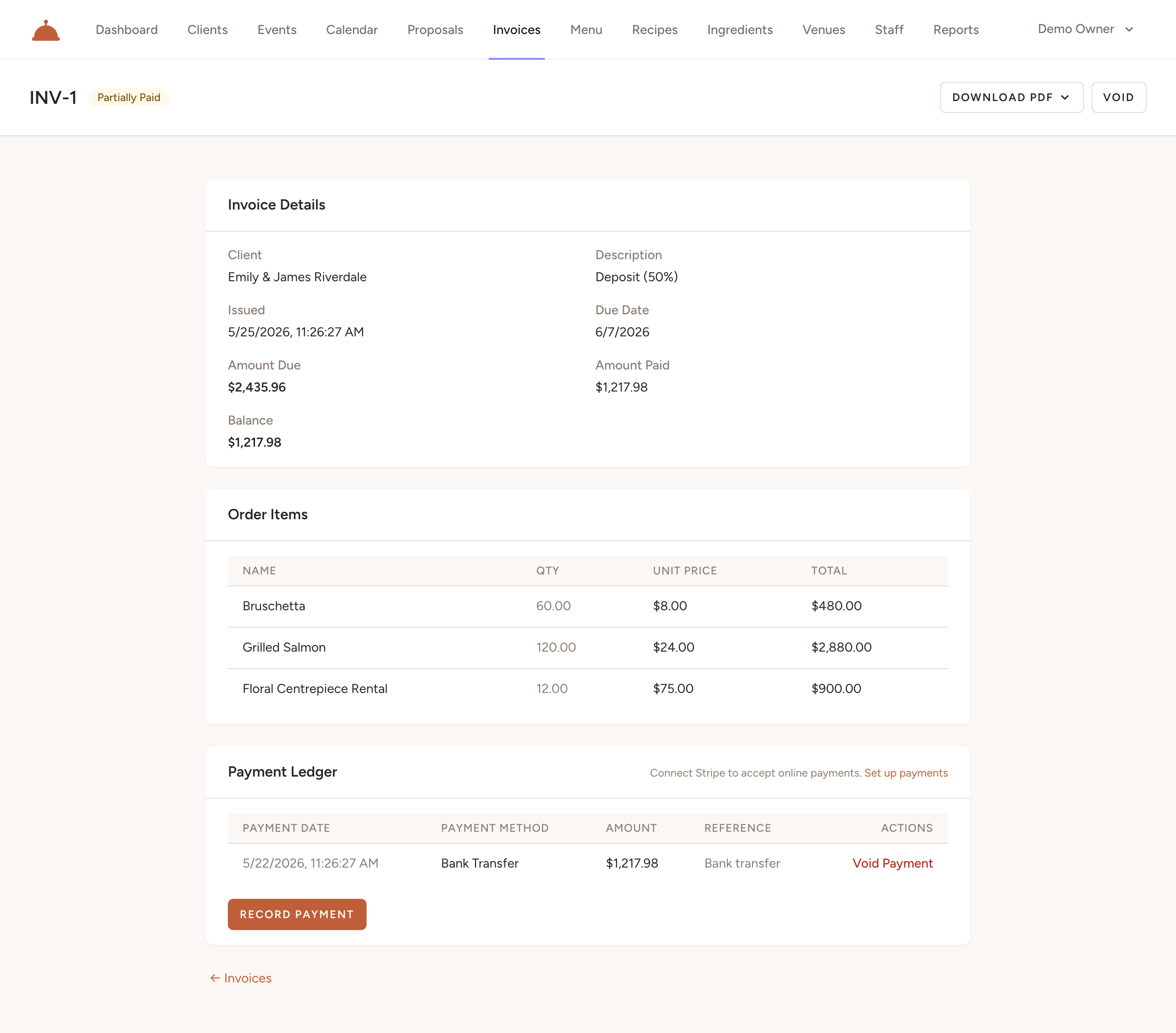
- Open the invoice and click Record Payment.

- Enter the amount, method, and date — Catertoo updates the balance automatically.
The invoice detail page shows Amount Due, Amount Paid, and the remaining Balance at a glance, along with the full payment ledger below.
What's next?
- Track your revenue to see what you've collected, invoiced, and what's still outstanding.